

AlphaX 500 Robot
117,133.13
AI-led revenue recognition.
Built for Revenue Cloud.
Revenue recognition built for Salesforce Revenue Cloud and Revenue Cloud Billing
Ask where a number came from. Understand what needs attention. Prepare your next recognition run. AI helps you work through it; StepFive's deterministic engine runs the calculations.
Before StepFive
We built StepFive so recognition starts from the Revenue Cloud records you already trust.
AI, grounded in your records
One revenue question can send you through an order, an obligation, a schedule and a journal. StepFive brings the related evidence into the conversation.
Follow the calculation to its source. Investigate a discrepancy. Ask the engine to prepare a run for review. Your team decides what moves forward.
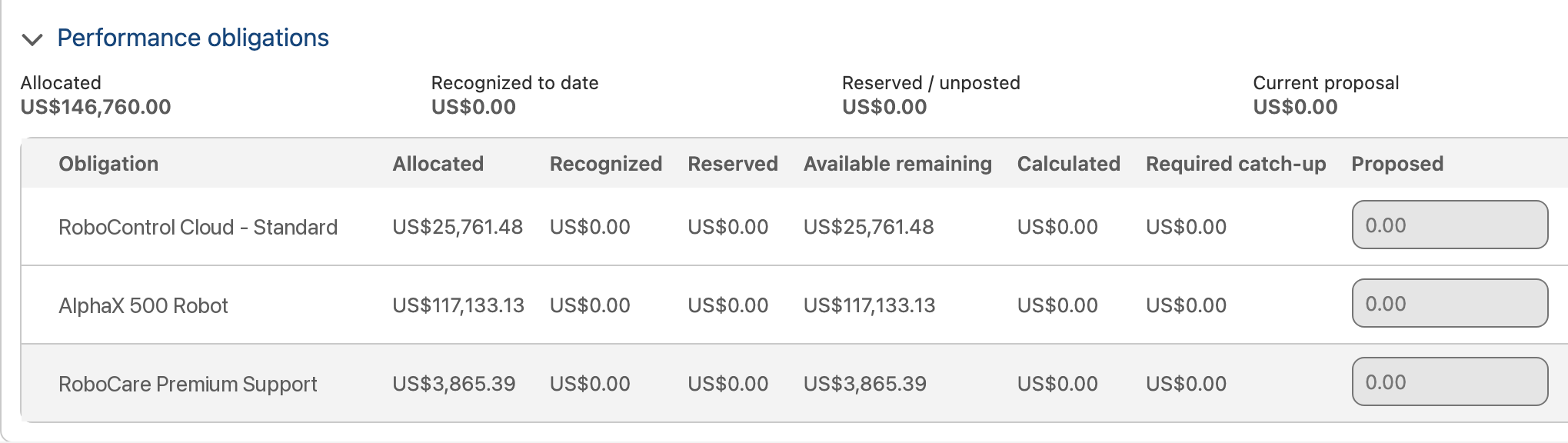
The engine allocated USD 25,761.48 to RoboControl Cloud, using its recorded standalone selling price and the order's transaction price.
The explanation connects the result to the records behind it.
ASC 606 · IFRS 15
Built for Revenue Cloud
Built for Revenue Cloud means working from its native selling and billing records: the lines, detail, asset history and usage periods that explain the deal.
StepFive connects that context to the revenue contract in your Salesforce org, where your team can review the source and the resulting allocation together.
Quotes and quote linesQuote line detailsOrders and order productsOrder product detailsAssets and asset actionsBilling schedulesUsage summariesLiable summaries
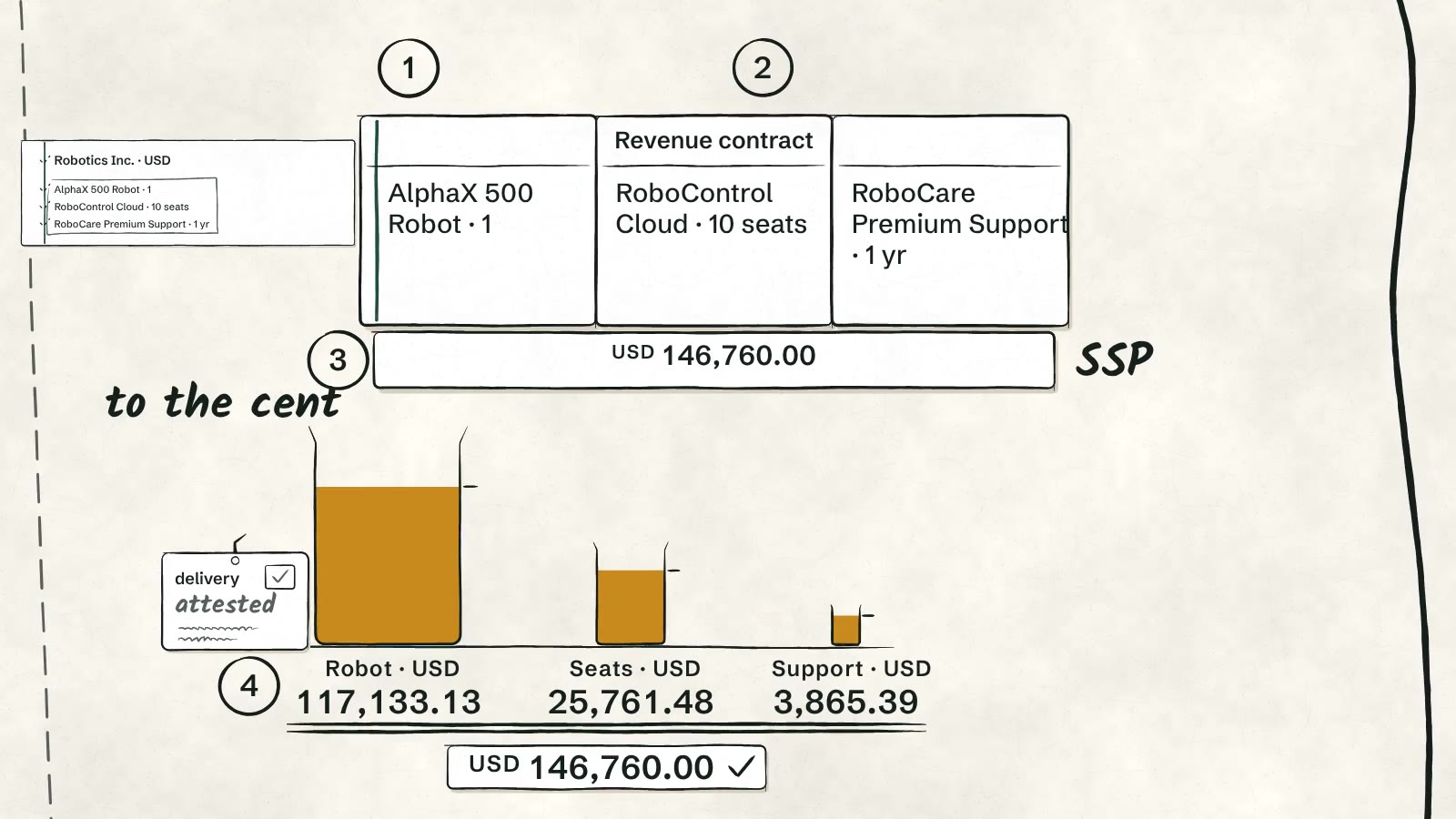
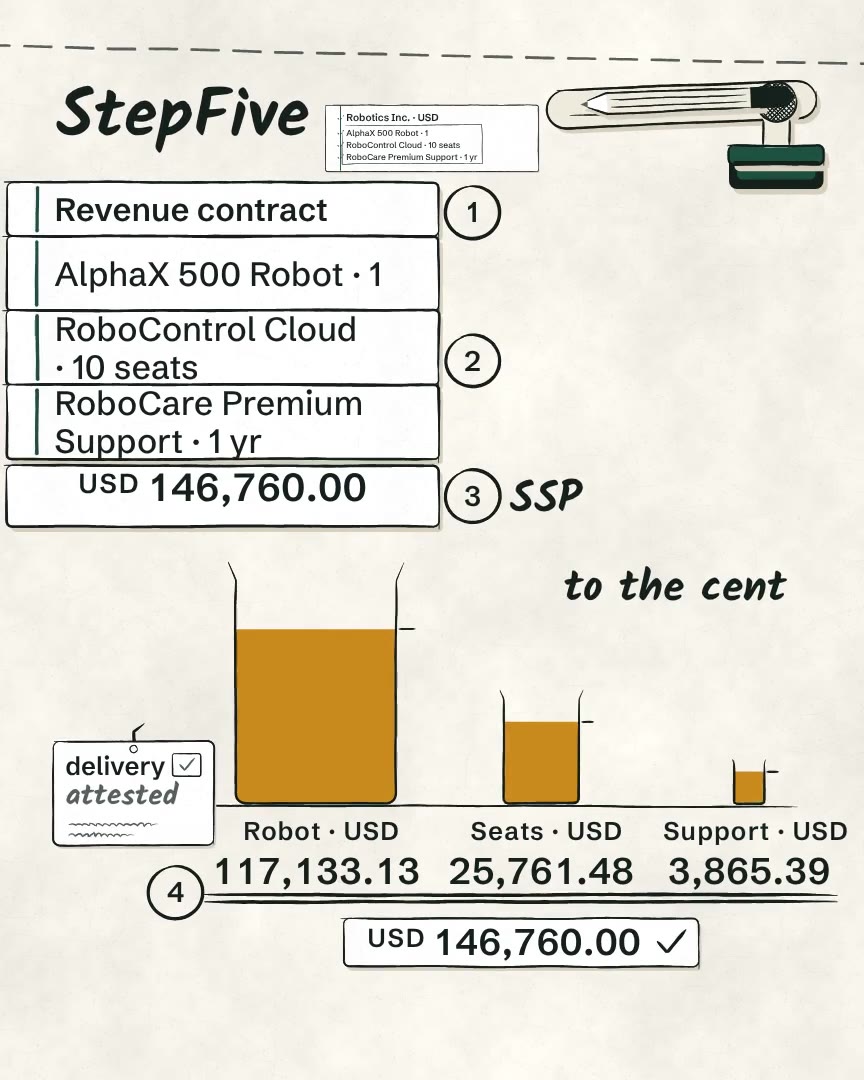
Take an order for a robot, ten software seats and premium support, worth USD 146,760.00. StepFive allocates it on standalone selling price:
Standalone selling price
Apply your SSP policy during Revenue Cloud pricing. Keep the resolved amount, policy and explanation on the native quote and order lines.
When recognition begins, your team has the evidence behind the standalone selling price ready to review.
Use fixed amounts, a percentage of list price or an SSP range. The line records the basis, resolved value and policy outcome.
SSP evidence travels with the native transaction. The commercial price and the accounting basis each remain available on the line.
Usage products
Consumption brings its own amounts and usage periods. StepFive's usage workflow is built around Revenue Cloud Billing's liable summaries.
Connect the rated amount and period to the sold obligation, with source evidence available for review. Discuss your usage and commitment treatments in a walkthrough.
Liable summaries hold the rated consumption charge. StepFive's usage capture keeps a snapshot of that source with the recognition evidence, so the amount can be traced back.
Tie-out
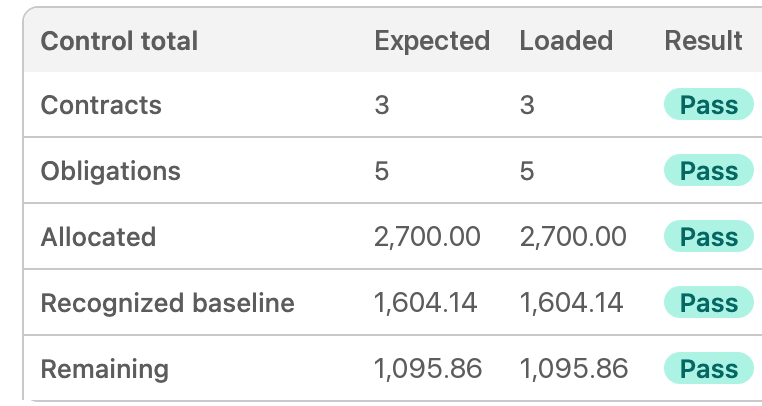
StepFive matches the sold and billed totals to Revenue Cloud and Revenue Cloud Billing before recognition starts.
If a total is off by a cent, StepFive stops and names it.

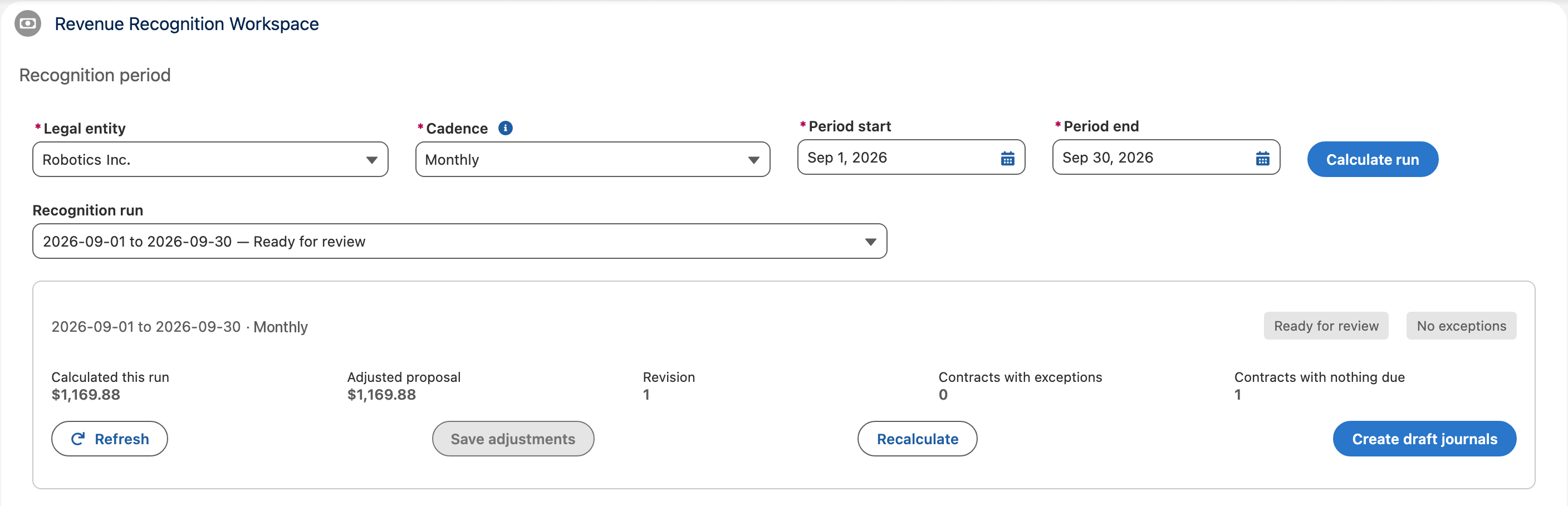
Recognition runs
Calculate the run, review it contract by contract, and create the journals when you are ready.
Revenue contracts
See where each revenue contract stands, and how it got there.
| Quarter | Recognized | Billed | Status |
|---|---|---|---|
| Q1 2027 | 124,539.83 | 126,690.00 | Posted |
| Q2 2027 | 7,406.70 | 6,690.00 | 2,468.90 awaiting |
| Q3 2027 | 7,406.70 | 6,690.00 | Planned |
| Q4 2027 | 7,406.77 | 6,690.00 | Planned |
Each performance obligation shows what is recognized, awaiting posting, due and planned.
The waterfall lays out revenue by period, at the grain you choose.
What Revenue Cloud Billing billed sits beside what was recognized, period by period.
The position at each period end, with the arithmetic behind it.
Review reconciled totals and investigate amounts that do not tie.
Each obligation traces back to the Revenue Cloud records it came from.
AI
Salesforce Revenue Cloud and Revenue Cloud Billing provide the source records. StepFive calculates the revenue. AI helps you understand the results and prepare the next step.
The assistant explains contract figures and discrepancies, and can prepare a deterministic calculation for review. It does not commit, approve or post revenue.
Configured rules calculate allocations and recognition from your source records and the selected period. AI explains the returned result.
Your team reviews prepared calculations before committing them. A separate approver reviews journals; posting stays with people.
Revenue is never a guess.
Migration
Contracts still in flight in your current system move into the same org as your Revenue Cloud deals.
Revenue you already recognized comes across as an opening baseline, so none of it posts twice.
By design
Every allocation adds back exactly to the transaction price.
Compare declared totals with native Revenue Cloud records before activation.
The person who approves a journal can never be the one who prepared it.
Recognition begins with the Revenue Cloud records your team works from.
The Cloud Update
Bring a deal. Bring a revenue question. See how StepFive connects AI assistance, deterministic calculations and the Salesforce Revenue Cloud and Revenue Cloud Billing records behind them.
StepFive is built for ASC 606 and IFRS 15 revenue recognition. Accounting judgments stay with your team.
Product screens and illustrations use sample data. Availability and implementation scope are confirmed during your walkthrough.
Salesforce, Revenue Cloud and Revenue Cloud Billing are trademarks of Salesforce, Inc. StepFive is an independent product of The Cloud Update and is not sponsored or endorsed by Salesforce, Inc.